
如何在浏览器中免费一键扣图去除照片背景
Remove image backgrounds free with on-device AI. Create transparent PNG cutouts for portraits, logos, and products with real-time preview.
Creating clean product photos, social media graphics, and professional portraits once required meticulous manual tracing with Photoshop's Pen Tool or subscribing to expensive AI cloud APIs like Remove.bg or Canva Pro.
Commercial services usually limit free users to low-resolution 0.25-megapixel preview cutouts and watermark your exports unless you buy monthly credits.
ILoveImages Remove Background uses lightweight on-device AI neural matting running directly in your browser. Your pictures never leave your device, and you can switch between portrait, product, and logo cutout modes with zero server wait times.
Background Removal Visual Comparison
Side-by-side visual comparison • Instant on-device result
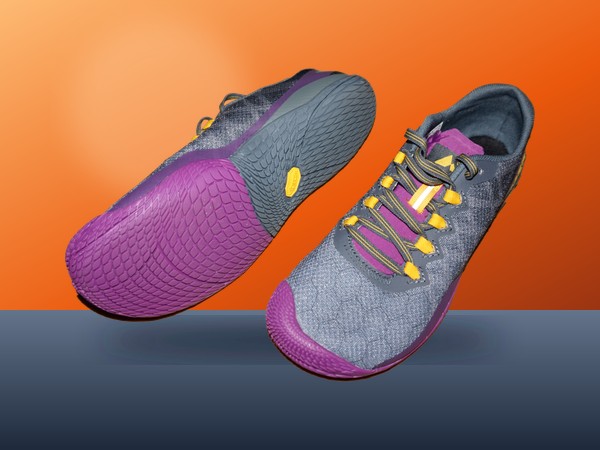
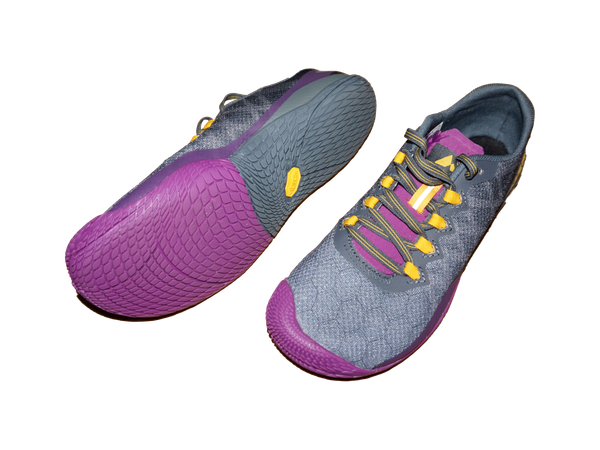
Figure 1: Visual comparison of product photo before and after automated background removal. Edge detection isolates complex subject contours directly in your browser without uploading your files.
Try Background Remover Free核心功能与特长: Remove Background
与传统的桌面软件或云端工具不同,ILoveImages Remove Background 借助高速 WebAssembly 技术完全在您的本地浏览器内运行。其核心优势如下:
- Smart On-Device AI: Deep neural matting segments portraits and products in milliseconds with zero server uploads.
- Interactive Before/After Slider: Drag to inspect edge hair and shadow cutouts against the original image in real time.
- Instant Solid Color Fill: Switch to pure white (#FFFFFF) backdrops instantly to comply with Amazon, eBay, and Etsy rules.
- No Credits or Subscriptions: Unlimited high-resolution cutouts with zero watermarks or daily limits.
分步操作指南: Remove Background
无需安装任何软件,在本地浏览器中仅需简单几步即可快速完成处理,全程保护隐私安全:
Remove Photo Backgrounds Instantly Free
No credit caps, no low-res downsells, and 100% private in-browser processing.
常见问题解答 (FAQ)
Does the tool downscale my photo resolution like Remove.bg?
No. Our tool processes and exports your transparent cutout at the original source image dimensions with full detail intact.
Can I replace the background with white or a solid color?
Yes. After removing the background, you can download a transparent PNG or export directly with a pure white background for Amazon and Google Shopping.
Does it work without an internet connection?
Yes! Once you install ILoveImages as a PWA, the AI segmentation model is cached locally, allowing you to remove backgrounds completely offline.