
如何免费对照片人脸打马赛克及敏感信息遮挡
Blur faces, license plates, and sensitive details online. AI automated face detection applies heavy Gaussian blur or blackout bars in browser.
Sharing photos online often inadvertently exposes sensitive private personal information (PII)—including bystander faces, car license plates, home addresses, utility bills, and credit card numbers.
Drawing crude markup pen strokes on your phone often leaves underlying pixels semi-transparent and recoverable with brightness adjustments.
ILoveImages' Blur Face and Censor tool permanently recalculates pixel neighborhoods with true destructive Gaussian blur and heavy mosaic pixelation, ensuring redacted data cannot be reconstructed.
PII & Facial Redaction Privacy Comparison
Side-by-side visual comparison • Instant on-device result
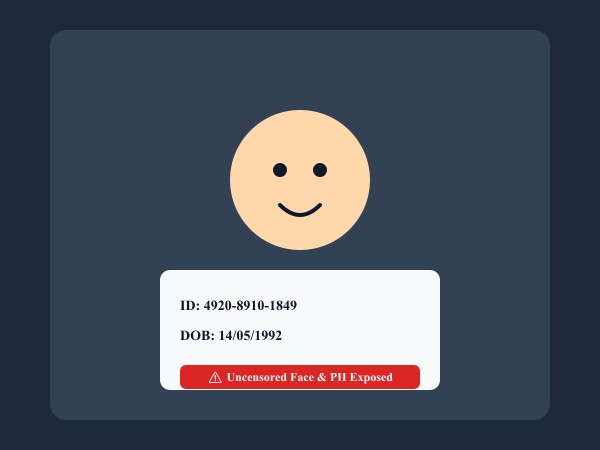
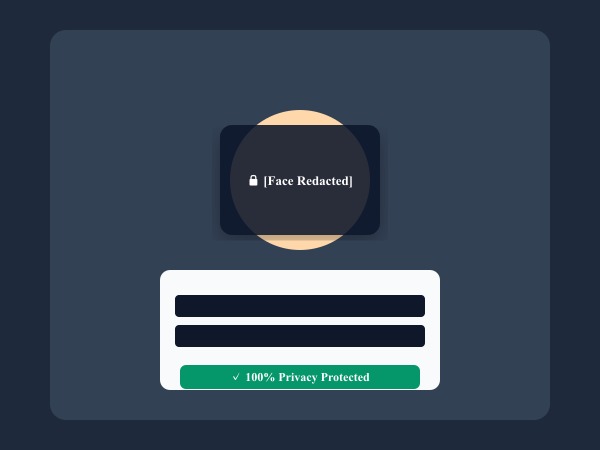
Figure 1: Automatic face detection and censorship bars irreversibly obscuring sensitive personal identifiers and biometric facial data.
Blur Faces & Redact Free核心功能与特长: Blur Face
与传统的桌面软件或云端工具不同,ILoveImages Blur Face 借助高速 WebAssembly 技术完全在您的本地浏览器内运行。其核心优势如下:
- Smart AI Face Detection: Scans pictures locally to detect all faces and applies irreversible privacy blur in a single click.
- HIPAA & GDPR Safe: Zero server transmission guarantees client, patient, and legal confidentiality.
- Dual Censor Modes: Choose between smooth Gaussian blur and retro mosaic pixelation.
- Batch Censor Workflow: Redact sensitive information across multiple documents and photos simultaneously.
分步操作指南: Blur Face
无需安装任何软件,在本地浏览器中仅需简单几步即可快速完成处理,全程保护隐私安全:
Blur Faces & Redact Sensitive Info Free
Keep your photos private with irreversible client-side pixelation.
常见问题解答 (FAQ)
Can someone unblur a photo processed with this tool?
No. The underlying pixels are averaged into uniform color blocks in canvas memory before saving, making it mathematically impossible to recover.