
Yüzlerce Fotoğrafın İsmini Topluca Değiştir
Organize messy camera rolls by batch renaming hundreds of photos with sequential numbering, custom prefixes, dates, and clean formatting in seconds.
DSLR cameras and smartphones export photos with cryptic filenames like IMG_9421.JPG or DCIM_0048.JPG. When organizing vacation memories, cataloging e-commerce merchandise, or delivering client photography, sorting through these names is a nightmare.
ILoveImages' Batch Rename tool allows you to rename hundreds of files simultaneously with custom prefixes, sequential numbering, and date tokens right in your browser.
By utilizing modern browser WebAssembly and HTML5 Canvas pipelines, ILoveImages processes every image locally inside your device memory. This eliminates upload bottlenecks, protects your confidential files from third-party server exposure, and provides lightning-fast execution even on high-resolution camera files.
Batch Sequential Renaming Demonstration
Side-by-side visual comparison • Instant on-device result
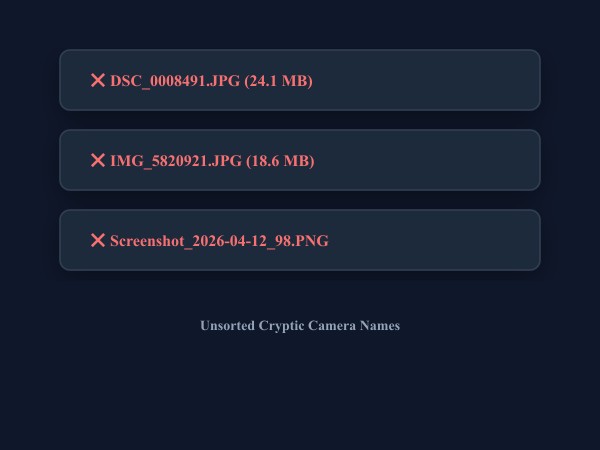
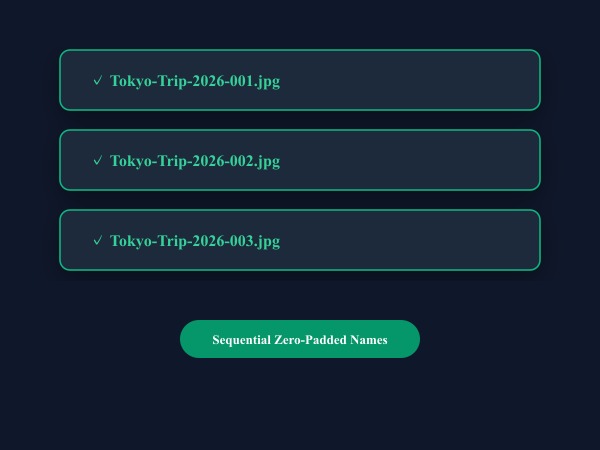
Figure 1: Instant memory-based batch file renaming with sequential zero-padded counters and custom prefix tags.
Batch Rename Photos FreeÖne Çıkan Yetenekler: Batch Rename
Geleneksel masaüstü yazılımların veya bulut servislerin aksine, ILoveImages Batch Rename doğrudan tarayıcınızda WebAssembly ile çalışır. İşte öne çıkan temel özellikleri:
- Sequential Numbering: Format with leading zeros (01, 001, 0001) for clean chronological sorting.
- Find & Replace Engine: Quickly replace camera model prefixes (e.g. IMG_, DSC_) with branded project names.
- Local Device Processing: Renames and packages your files instantly into a ZIP archive without uploading gigabytes.
- Complete Metadata Integrity: Preserves image EXIF, resolution, and timestamps during renaming.
Adım Adım Kullanım Rehberi: Batch Rename
Yazılım kurmadan ve %100 gizlilikle, tarayıcınızda saniyeler içinde işleminizi tamamlamak için bu adımları takip edin:
Organize & Rename Photos in Bulk Free
Clean, consistent naming conventions for albums, products, and portfolios.
Sıkça Sorulan Sorular
Does renaming modify the image data itself?
No. The tool updates file headers and names without re-compressing or touching visual pixels.
Can I use these tools completely offline without an internet connection?
Yes! Once you visit ILoveImages or install it as a PWA, all core scripts and WebAssembly modules are cached locally in your browser's service worker, allowing you to edit photos anywhere, even in airplane mode.
Are my uploaded photos or edits stored on any server?
Never. ILoveImages is built with a zero-server-upload architecture. Every pixel calculation occurs strictly in your browser's local sandbox memory.