From cutting background clutter to shrinking file sizes by 98%—experience the visual difference without accounts, subscriptions, or uploads.
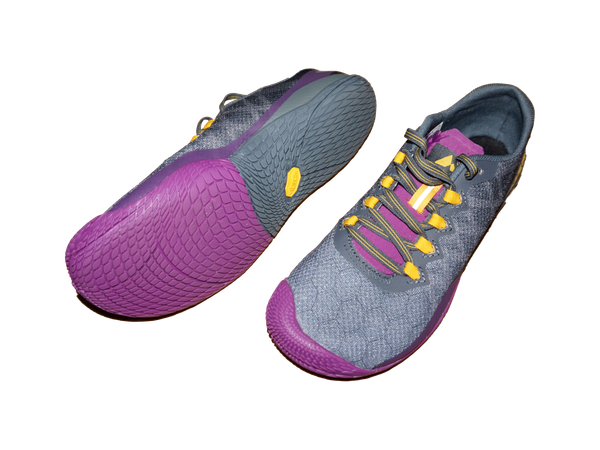
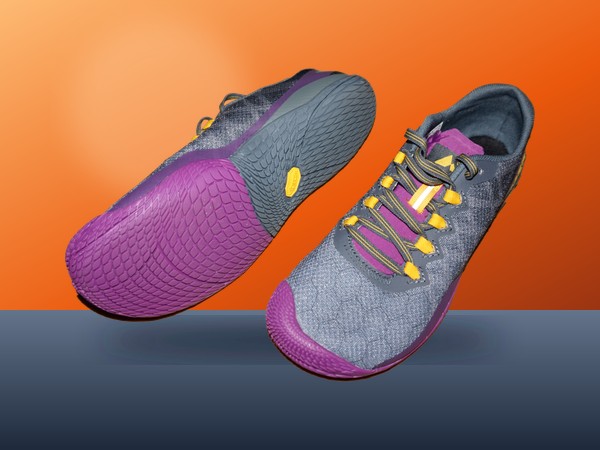
Drag slider left or right to compare Before and After
Automatically isolate and cut out subjects while strictly preserving native positions and framing. 100% private in your browser with zero cloud uploads.
Professional photo editing, batch compression, format conversion, and artistic effects right in your browser. Private, ultra-fast, with zero server uploads.
Complete all-in-one browser photo editor. Crop, filter, watermark, borders, stickers, AI art styles, text overlays, and bulk export. 100% private.
Bulk compress JPG, PNG, WebP, and AVIF photos with maximum quality. Reduce file sizes by up to 80% without visible quality loss. 100% free forever.
Batch resize images by percentage or exact pixel dimensions. Maintain aspect ratio or choose social media presets. 100% free with no limits.
Crop images with interactive visual controls. Choose standard aspect ratios (1:1, 16:9, 4:5, 9:16) or freeform crop. Bulk crop supported.
Crop multiple areas, panels, receipts, or sections from a single image simultaneously. Download all cropped slices bundled together in a single ZIP file. 100% free and client-side.
Convert iPhone images to JPG, Apple HEIC to JPG, PNG, WebP, AVIF, and BMP in bulk. 100% free, private client-side converter with zero server uploads.
Stamp custom copyright text or PNG logos on your photos in bulk. Protect your photography and designs with customizable watermarks. 100% free.
Rotate photos 90°, 180°, or 270° in bulk. Flip horizontally (mirror) or vertically with zero quality loss. 100% free.
Adjust brightness, contrast, saturation, and blur in real time. Apply vintage sepia, grayscale, and invert filters. 100% free.
Irreversibly blur or blackout sensitive areas like faces, license plates, credit card numbers, and private documents. 100% free & private.
Convert multiple JPG, PNG, WebP, and iPhone HEIC images into a single organized PDF document with page reordering. 100% free.
Divide all pages of a PDF document into high-resolution JPG or PNG images in one click. Download individually or as ZIP. 100% free.
Add custom typography, captions, and memes to photos in bulk. Google fonts, colors, rotation, letter spacing, badges & emojis. 100% free.
Add aesthetic stickers, verified badges, emojis, and vector graphics to photos online for free. Draggable, resizable, and 100% private.
Combine multiple photos into beautiful grids, side-by-side comparisons, and creative social media collages. 100% free forever, no watermark.
Remove image background automatically in seconds. Perfect for logos, signatures, and portraits with before/after comparison slider, transparent cutout, or custom backgrounds. 100% free.
Crop photos into perfect circles for profile pictures, avatars, and social media. Add custom borders, shadows, and download transparent PNGs. 100% free forever.
Boost photo quality with smart AI clarity, 4K crisp unsharp masking, skin smoothing, low-light shadow boost, and color vibrance. 100% free with bulk processing.
Add decorative borders, photo frames, floral designs, Art Deco margins, and vintage Polaroid frames in bulk. 100% free and private.
Create funny memes with classic Impact and modern fonts, top & bottom text captions, customizable outlines, and draggable positioning. 100% free.
Strip hidden GPS locations, camera serials, timestamps, and personal metadata from your photos before sharing. 100% private on your device.
View hidden camera settings, shutter speed, ISO, aperture, focal length, lens model, timestamps, and GPS geolocation stored in your photos. 100% private in your browser.
Bulk rename and sequentially number multiple images at once. Add custom prefixes, suffixes, dates, counters, and find-and-replace patterns.
Create official passport, visa, and ID photos for US, Schengen, UK, India, Canada, and Australia. Generate printable 4x6 inch sheets with cutting guidelines.
Create animated GIFs online for free from photos or video. Customize frame speed, reorder timeline, add meme captions & stickers, and optimize size. 100% free with no limits.
Add photo over photo online with opacity, blend modes, and draggable layers. Picture-in-picture, cutouts, and logos. 100% private.
Unlike traditional image platforms, we run 100% inside your browser. No files are uploaded to servers.
| Feature | ILoveImages | Traditional Sites (iLoveIMG, Smallpdf) |
|---|---|---|
| File Privacy | 100% Local (Never leaves device) | Uploaded to remote cloud servers |
| Price | Free forever | $6 to $15/month subscriptions |
| File Size Limits | No artificial limits (100MB+) | Capped at 10MB–25MB for free users |
| Watermarks | Never watermarked | Watermarks on free outputs |
| Offline Capability | Yes (Works without internet) | Requires constant connection |
Whether you sell products online, prepare passport paperwork, convert iPhone camera rolls, or build social media graphics—ILoveImages solves common image challenges directly in your browser.
High-converting product listings demand crisp white backdrops, standardized square crops, and rapid load times. ILoveImages lets online store owners process catalog photos in bulk right on their device without hiring a retoucher or paying monthly SaaS fees.
Government websites, university portals, and visa applications often enforce rigid rules: exact 2x2 inch (51x51mm) dimensions, specific head heights, and file size limits under 20KB or 50KB. Our private, on-device tools handle these technical specifications in seconds.
Modern smartphones pack photos with hidden GPS coordinates, timestamps, and proprietary formats that fail to upload on official websites. Protect your personal privacy and fix compatibility issues before sharing.
Content creators, educators, and social media managers deserve versatile creative tools without predatory subscriptions, forced login screens, or ugly platform watermarks.
Everything you need to know about our 100% private in-browser image tools.
Never. Every tool on ILoveImages runs directly on your computer or phone inside your web browser. Your photos never leave your device, ensuring complete privacy with zero server uploads.
Yes, all tools are 100% free forever. There are no subscriptions, no credit card requirements, no hidden paywalls, and we never place watermarks on your exported images.
Absolutely. Bulk photo processing is built into every tool. You can upload dozens of photos at once, apply batch compression, resizing, or conversions, and download all files organized in a single ZIP archive.
Simply drag and drop your Apple iPhone .heic or .heif photos onto the Convert Image tool or homepage. Our browser-based decoder instantly transforms them into universally compatible JPG or PNG files.
Our smart compression algorithm analyzes image gradients and removes non-essential metadata while optimizing color palettes. In most cases, file size is reduced by up to 70–85% with virtually zero perceptible loss in sharpness.
360Editor is our browser-based photo studio. It provides 1-click aesthetic presets, AI art transformations, background removal, collage layouts, drawing brushes, shape annotations, borders, and watermarking all in a fast, private interface.
There are no arbitrary file size limits. Because ILoveImages processes all files in-memory in your browser rather than uploading to a cloud server, you can freely edit, compress, or convert large 50MB, 100MB+, and high-res 4K or RAW photos.
Yes! ILoveImages works directly on your device, allowing you to compress, crop, and edit photos even with no internet connection or in airplane mode.
Our Compress Image tool features a dedicated 'Target File Size' mode. Enter your required size in KB or MB, and our adaptive binary search algorithm compresses and scales the photo to match your exact threshold for job, visa, and government portals.
Absolutely. We operate under a strict 100% Client-Side Privacy Guarantee. Your photos never leave your device. You can also use our Blur & Redact tool to censor PII and our Remove EXIF tool to strip hidden GPS location coordinates before sharing.
Our Remove Background tool uses in-browser AI segmentation to detect subjects and cut them out with clean transparent backgrounds in seconds—100% free with no sign-ups or watermarks.
Never. Every exported image, collage, meme, and animated GIF is 100% watermark-free in full original resolution.
Yes! Use the Overlay Image tool or 360Editor's Layers tab. You can add multiple photo layers, drag and resize them with corner handles, adjust transparency, and choose from 8 blend modes (such as Multiply to automatically erase white backgrounds from logos).
Yes, our Passport Photo Maker provides official biometric dimensions for the US (2x2 inch), UK/Europe/Schengen (35x45mm), India, and more, complete with printable 4x6 inch and 5x7 inch tiled sheets and cut lines.
Our GIF Maker combines JPG, PNG, or WebP photos or video clips into smooth animated GIFs with custom speed (FPS) control, dimension fitting, and meme text overlays.
ILoveImages supports Apple iPhone HEIC/HEIF, JPG/JPEG, PNG, WebP, AVIF, BMP, SVG, and PDF documents. You can convert between these formats in bulk without quality loss.
Yes, all tools are touch-optimized for mobile Safari, Chrome, and Firefox on iOS and Android, featuring direct finger dragging, touch-friendly handles, and mobile bottom tool rails.
