
电商卖家商品图片压缩与画质优化实用指南
Boost e-commerce conversion rates. Erase backgrounds for pure white Amazon shots, compress product images for speed, and format square Etsy listings.
In online retail, your product image is your storefront. Clean product cutouts on pure white backgrounds convert up to 40% higher than cluttered smartphone snapshots.
Furthermore, slow-loading product galleries directly increase cart abandonment. Optimizing your images balances crisp product detail with lightning-fast page load speeds.
By utilizing modern browser WebAssembly and HTML5 Canvas pipelines, ILoveImages processes every image locally inside your device memory. This eliminates upload bottlenecks, protects your confidential files from third-party server exposure, and provides lightning-fast execution even on high-resolution camera files.
Background Removal Visual Comparison
Side-by-side visual comparison • Instant on-device result
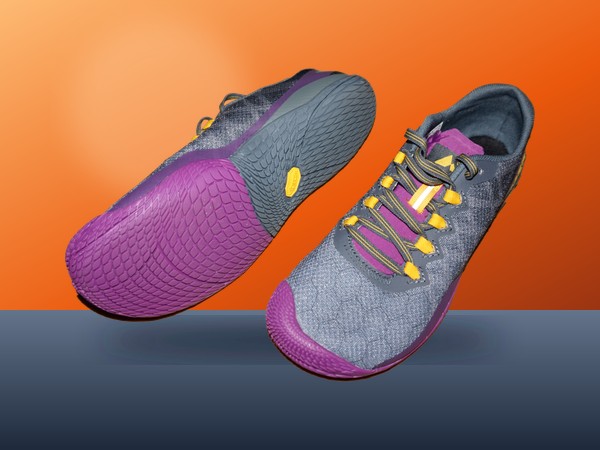
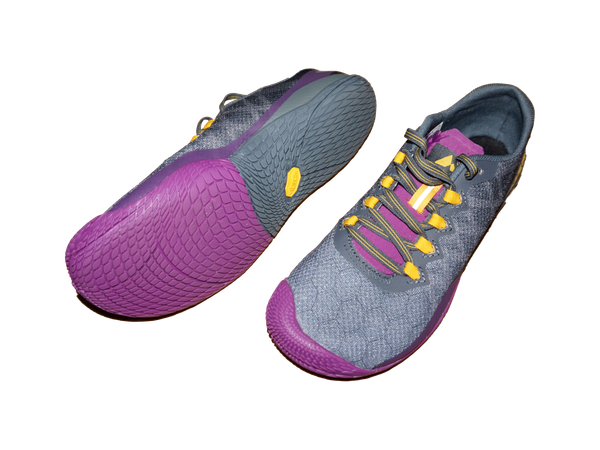
Figure 1: Visual comparison of product photo before and after automated background removal. Edge detection isolates complex subject contours directly in your browser without uploading your files.
Try Background Remover Free官方推荐工具
Modern professional workflows demand speed, consistency, and uncompromising data security. Whether preparing client deliverables, meeting regulatory compliance standards, or managing high-volume product catalogs, ILoveImages equips Shopify & Etsy Sellers with high-performance tools engineered for real-world efficiency:
- 360Editor Professional Suite: Complete 11-tab in-browser editing environment with multi-layer overlays, color grading, and complete history rollback.
- High-Speed Bulk Compressor: Automatically reduce photo file sizes to meet strict upload quotas (under 20KB, 50KB, or 100KB) with zero perceptible sharpness loss.
- AI Background Remover & Circle Crop: Cut out subjects cleanly and generate standardized headshots, product listings, and employee avatars in seconds.
- Batch Renaming & Numbering: Organize hundreds of photoshoot files with clean sequential numbering, date stamps, and project prefixes in one click.
- Permanent PII Redaction & Metadata Scrubbing: Blur sensitive client details and strip GPS geotags before sharing files to guarantee client confidentiality and GDPR/HIPAA compliance.
分步操作指南: Remove Background
无需安装任何软件,在本地浏览器中仅需简单几步即可快速完成处理,全程保护隐私安全:
行业最佳实践建议
To maintain top professional standards across all digital assets, keep these core guidelines in mind:
- Always sanitize metadata before publishing: Strip GPS coordinates and camera serial numbers from client photos using Remove EXIF to prevent location leaks.
- Standardize resolution and aspect ratios: Maintain consistent dimensions (e.g. 1080x1350 for social, 2000x2000 for e-commerce) to build a cohesive visual brand.
- Protect client confidentiality: Avoid uploading proprietary blueprints, financial records, or patient photos to third-party cloud utilities—always use local in-browser processing.
Create Pure White Product Photos Free
AI cutout, square crop, and web optimization in your browser.
常见问题解答 (FAQ)
Does Shopify support WebP images?
Yes, converting your catalog to WebP on ILoveImages cuts page load times and boosts mobile SEO rankings.
Can I use these tools completely offline without an internet connection?
Yes! Once you visit ILoveImages or install it as a PWA, all core scripts and WebAssembly modules are cached locally in your browser's service worker, allowing you to edit photos anywhere, even in airplane mode.
Are my uploaded photos or edits stored on any server?
Never. ILoveImages is built with a zero-server-upload architecture. Every pixel calculation occurs strictly in your browser's local sandbox memory.