
Cách tự tạo ảnh thẻ hộ chiếu đạt chuẩn tại nhà
Create compliant 2x2 inch and 35x45mm passport and visa photos at home. Features AI biometric face alignment and printable 4x6 inch sheets.
Pharmacies, post offices, and photo studios routinely charge $15 to $25 for a pair of passport photos. What makes it worse is that you often end up with unflattering portraits taken under harsh fluorescent lights in a rush.
Government agencies—including the US Department of State, UK HM Passport Office, Schengen European Consulates, and Indian Passport Seva—have strict biometric standards, but they do NOT require professional studio equipment.
With ILoveImages' Passport Photo Maker, you can take a well-lit photo on your smartphone at home, crop to exact international dimensions, replace messy room backgrounds with pure white or off-white, and export printable 4x6 inch sheets for pennies.
Biometric Passport Photo Transformation
Side-by-side visual comparison • Instant on-device result
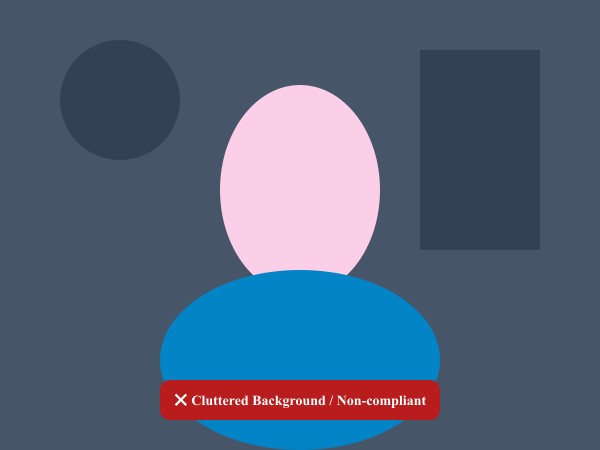
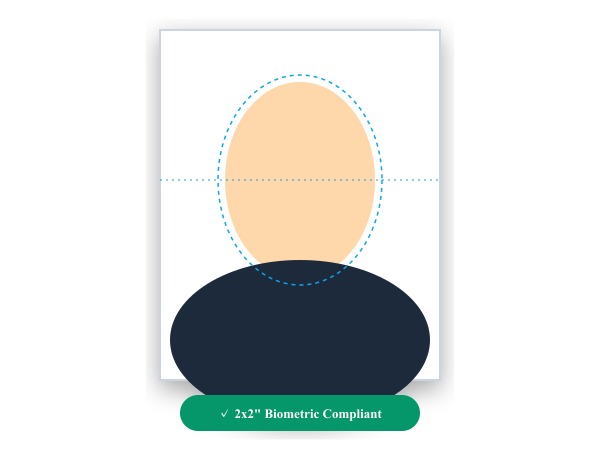
Figure 1: Conversion of casual smartphone snapshot into an official 2x2 inch biometric passport photo with clean background isolation.
Make Passport Photo FreeKhả năng & Tính năng nổi bật: Passport Photo Maker
Khác với các phần mềm truyền thống hay dịch vụ đám mây, ILoveImages Passport Photo Maker hoạt động 100% ngay trên trình duyệt nhờ công nghệ WebAssembly tốc độ cao. Dưới đây là các tính năng nổi bật:
- Smart AI Biometric Centering: Automatically locates facial landmarks and aligns head height to meet official 50-69% passport rules.
- Strict 300 DPI Output: Generates print-ready high-density files accepted by embassy and government biometric scanners.
- Printable 4x6 Sheet Generator: Print multiple passport photos on standard pharmacy/photo paper for pennies.
- Biometric Framing Guides: Built-in chin and crown alignment overlays guarantee compliance with visa regulations.
Hướng dẫn từng bước: Passport Photo Maker
Làm theo các bước đơn giản sau để hoàn thành thao tác trong vài giây ngay trên trình duyệt, không cần cài đặt và bảo mật 100%:
Create Biometric Passport Photos Free
Pre-calibrated 2x2 in and 35x45mm templates with 4x6 printable grid export.
Câu hỏi thường gặp
Will passport agencies accept photos taken with an iPhone?
Yes! Government agencies evaluate lighting, dimensions, and facial visibility—not the camera brand. Modern smartphones capture more than enough resolution.
Can I wear eyeglasses or earrings?
Most consulates (including the US) strictly prohibit eyeglasses in passport photos. Small jewelry is generally allowed if it does not cover any part of your face.
How do I print the 4x6 sheet at a store?
Save the exported 4x6 JPG to a USB flash drive or your phone, order a standard 4x6 inch print at your local pharmacy kiosk, and trim the photos along the guide lines.