
Cách làm mờ mặt và che thông tin nhạy cảm trên ảnh
Blur faces, license plates, and sensitive details online. AI automated face detection applies heavy Gaussian blur or blackout bars in browser.
Sharing photos online often inadvertently exposes sensitive private personal information (PII)—including bystander faces, car license plates, home addresses, utility bills, and credit card numbers.
Drawing crude markup pen strokes on your phone often leaves underlying pixels semi-transparent and recoverable with brightness adjustments.
ILoveImages' Blur Face and Censor tool permanently recalculates pixel neighborhoods with true destructive Gaussian blur and heavy mosaic pixelation, ensuring redacted data cannot be reconstructed.
PII & Facial Redaction Privacy Comparison
Side-by-side visual comparison • Instant on-device result
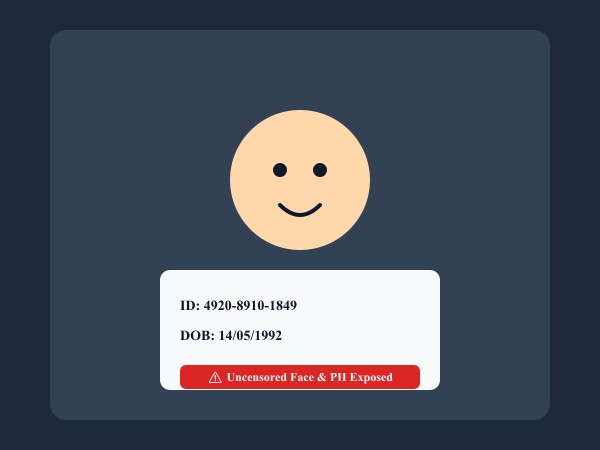
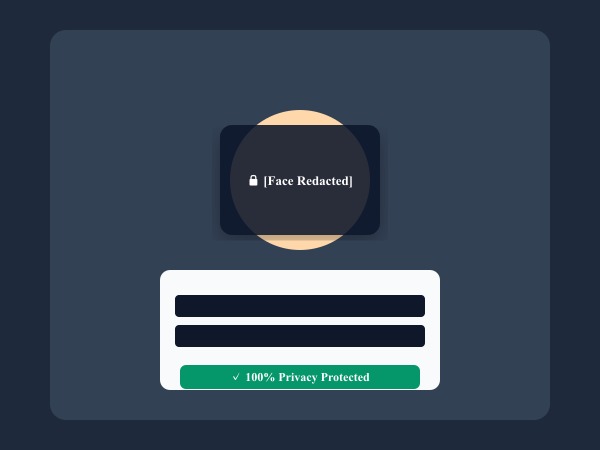
Figure 1: Automatic face detection and censorship bars irreversibly obscuring sensitive personal identifiers and biometric facial data.
Blur Faces & Redact FreeKhả năng & Tính năng nổi bật: Blur Face
Khác với các phần mềm truyền thống hay dịch vụ đám mây, ILoveImages Blur Face hoạt động 100% ngay trên trình duyệt nhờ công nghệ WebAssembly tốc độ cao. Dưới đây là các tính năng nổi bật:
- Smart AI Face Detection: Scans pictures locally to detect all faces and applies irreversible privacy blur in a single click.
- HIPAA & GDPR Safe: Zero server transmission guarantees client, patient, and legal confidentiality.
- Dual Censor Modes: Choose between smooth Gaussian blur and retro mosaic pixelation.
- Batch Censor Workflow: Redact sensitive information across multiple documents and photos simultaneously.
Hướng dẫn từng bước: Blur Face
Làm theo các bước đơn giản sau để hoàn thành thao tác trong vài giây ngay trên trình duyệt, không cần cài đặt và bảo mật 100%:
Blur Faces & Redact Sensitive Info Free
Keep your photos private with irreversible client-side pixelation.
Câu hỏi thường gặp
Can someone unblur a photo processed with this tool?
No. The underlying pixels are averaged into uniform color blocks in canvas memory before saving, making it mathematically impossible to recover.