
Como remover metadados EXIF e GPS de fotos
Protect your privacy by stripping hidden EXIF metadata, GPS latitude/longitude geotags, camera serials, and timestamps before sharing photos online.
Every picture taken on your smartphone embeds invisible metadata called EXIF (Exchangeable Image File Format). This includes the exact GPS coordinates of your house, time of day, device serial number, and camera hardware settings.
Posting raw photos to forums, classifieds, or messaging boards can reveal your home address to strangers. Scrubbing this data protects your physical safety.
By utilizing modern browser WebAssembly and HTML5 Canvas pipelines, ILoveImages processes every image locally inside your device memory. This eliminates upload bottlenecks, protects your confidential files from third-party server exposure, and provides lightning-fast execution even on high-resolution camera files.
EXIF & GPS Geotag Privacy Strip
Side-by-side visual comparison • Instant on-device result
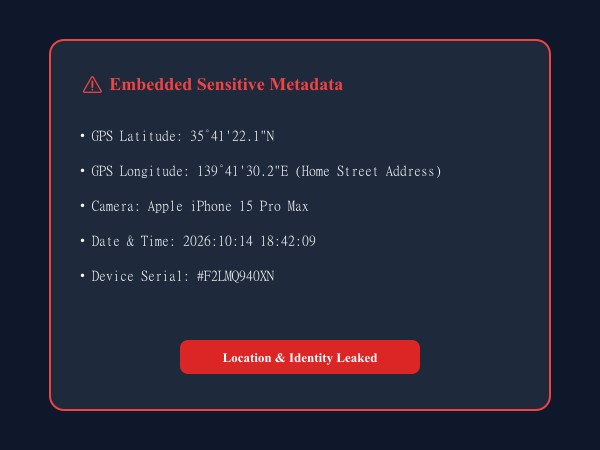
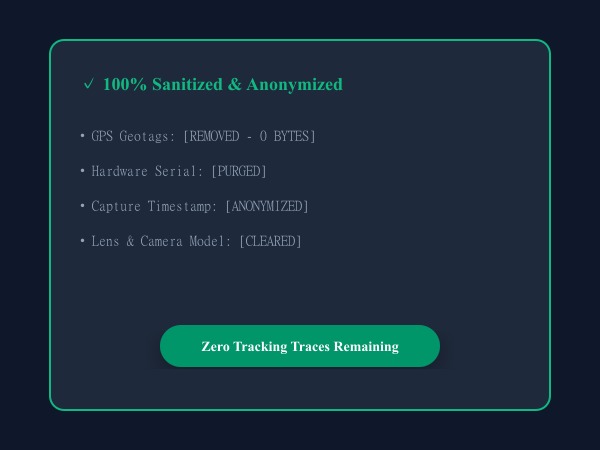
Figure 1: Full removal of sensitive EXIF, GPS location coordinates, lens models, and device serial numbers before sharing online.
Remove EXIF Metadata FreeRecursos em destaque: Remove EXIF
Diferente dos softwares tradicionais ou ferramentas na nuvem, o ILoveImages Remove EXIF opera 100% no seu navegador com WebAssembly e alta performance. Veja os principais recursos desta ferramenta:
- Complete GPS Scrubbing: Removes embedded latitude, longitude, and altitude geotags to protect your privacy.
- Camera & Device Sanitization: Strips camera serial numbers, lens info, and software timestamps.
- Lossless Stripping: Removes binary metadata headers without recompressing or reducing image pixels.
- Unlimited Bulk Scrubbing: Strip privacy risks from entire photo galleries before posting to social media.
Guia passo a passo: Remove EXIF
Siga estes passos simples para concluir sua tarefa em segundos diretamente no navegador, sem instalar nada e com privacidade total:
Strip GPS Geotags & EXIF Metadata Now
100% private client-side metadata scrubbing before posting online.
Perguntas Frequentes
Does stripping EXIF change image quality?
No. Only the invisible header block is removed; visual pixels remain 100% untouched.
Can I use these tools completely offline without an internet connection?
Yes! Once you visit ILoveImages or install it as a PWA, all core scripts and WebAssembly modules are cached locally in your browser's service worker, allowing you to edit photos anywhere, even in airplane mode.
Are my uploaded photos or edits stored on any server?
Never. ILoveImages is built with a zero-server-upload architecture. Every pixel calculation occurs strictly in your browser's local sandbox memory.