
Colocar bordas em fotos online grátis: Molduras
Adicione molduras artísticas em fotos grátis. Escolha entre mais de 100 molduras: flores, Polaroids, rolos 35mm, selos e ouro barroco.
Looking to add borders or artistic frames to your photos online for free without watermarks or software installation? Whether you need clean white margins for aesthetic Instagram feeds, vintage Polaroid borders for scrapbooking, or 100+ creative artistic frames, ILoveImages makes photo framing effortless.
From delicate blooming floral vines, festive holiday holly with frosted snowflakes, authentic 35mm perforated Kodak filmstrips, vintage postage stamps with airmail stripes, and scalloped Victorian lace to baroque 24K museum gold filigree, our catalog offers 100+ distinctive presets across 15 dedicated categories.
By utilizing modern browser WebAssembly and HTML5 Canvas pipelines, ILoveImages processes every image locally inside your device memory. This eliminates upload bottlenecks, protects confidential files from third-party server exposure, and provides lightning-fast execution with exact 1:1 visual WYSIWYG scaling on high-resolution downloads.
Photo Border & Frame Demonstration
Side-by-side visual comparison • Instant on-device result
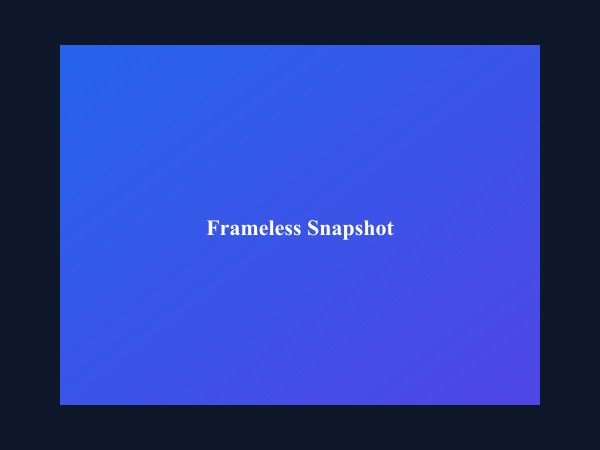
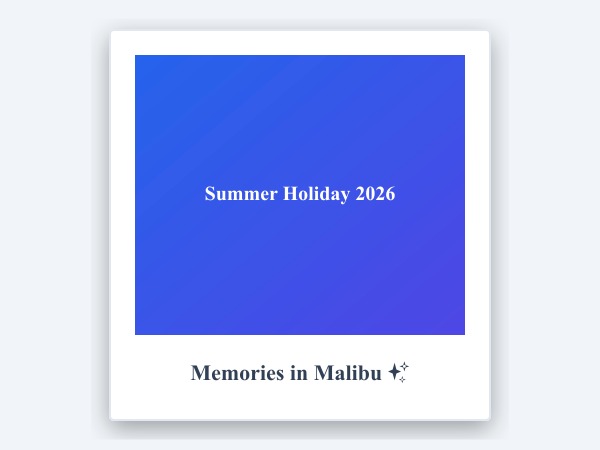
Figure 1: Comparison of frameless image versus custom Polaroid-style border framing with soft ambient drop-shadow.
Add Borders & Frames Free100+ Creative Visual Frames Across 15 Categories
Unlike traditional desktop software or cloud-based utilities, ILoveImages Add Border operates entirely in your browser using modern WebAssembly and HTML5 Canvas technology with zero cloud uploads. Here is what makes our framing engine uniquely powerful:
- 100+ Curated Artistic Frames: Explore 15 categories including Floral Garden, Christmas & Holiday, 35mm Vintage Filmstrip, Retro Cutie Hearts, Olden Museum Gold, Organic Nature Grass, Scalloped Victorian Lace, Postage Stamp & Airmail, Minimalist Gallery Mats, Summer Fruit Slices, Camouflage Patterns, and Cyberpunk Neon.
- Authentic Polaroid & 35mm Filmstrip Borders: Recreate vintage instant cameras and analog 35mm film reels with perforation sprocket holes, frame numbers, and signature caption margins.
- Live Visual WYSIWYG Previews: Browse frames displayed directly on sample images rather than abstract names, giving you instant visual feedback before applying.
- Proportional High-Resolution Export: Border padding, stroke widths, and corner radii scale proportionally to your original image resolution, ensuring your downloaded image matches the preview perfectly instead of shrinking to a thin hairline.
- 100% Private Client-Side Processing: Frame high-resolution family photos, art prints, and social media graphics locally with zero server uploads.
How to Add Borders & Frames in 5 Easy Steps
Follow these simple steps to frame your photos in seconds directly in your web browser with zero software installation and 100% client-side privacy:
Add 100+ Artistic Frames & Borders Free
Floral, Polaroid, Christmas, filmstrip, and gold museum frames in high resolution.
Perguntas Frequentes
Does adding a border reduce my photo resolution or image quality?
Not at all. ILoveImages preserves 100% of your photo's natural resolution. The border padding is added around your photo at full bitmap fidelity with zero downsampling.
Why did my downloaded border match what I saw on screen?
Our engine uses visual WYSIWYG proportional scaling. Whether your photo is 800px or 4,000px, the border width scales proportionally to your original image dimensions so you get the exact framing aesthetic previewed on screen.
Are my uploaded photos or framed images stored on any server?
Never. ILoveImages is built with a zero-server-upload architecture. Every pixel calculation and SVG overlay is rendered strictly inside your browser's local sandbox memory.