
人事・採用担当者のための社員証・履歴書写真ツール
Streamline employee onboarding: Standardize employee headshots for ID badges, crop circular Slack avatars, and format visa photos with zero privacy risk.
Human resources teams handle hundreds of employee headshots for company ID badges, Slack profiles, security access cards, and international business visa applications.
Uploading sensitive employee photos to random cloud websites violates internal employee privacy policies. ILoveImages provides in-browser tools to standardize badges with zero data leakage.
By utilizing modern browser WebAssembly and HTML5 Canvas pipelines, ILoveImages processes every image locally inside your device memory. This eliminates upload bottlenecks, protects your confidential files from third-party server exposure, and provides lightning-fast execution even on high-resolution camera files.
Biometric Passport Photo Transformation
Side-by-side visual comparison • Instant on-device result
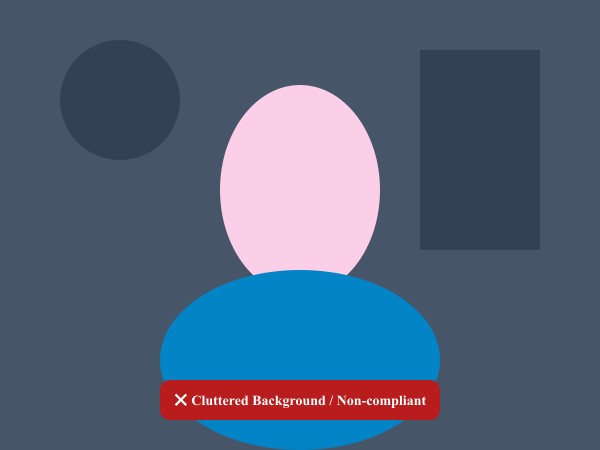
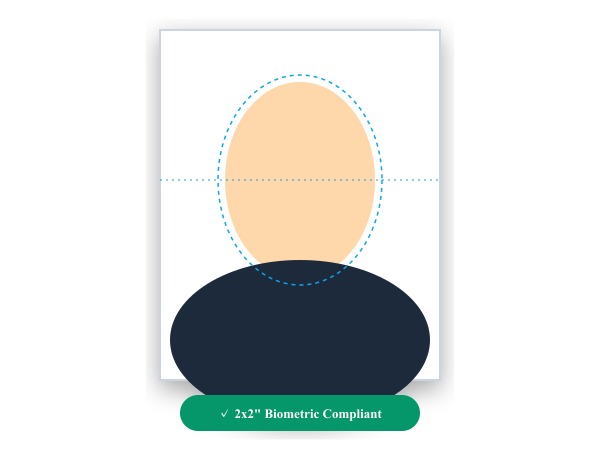
Figure 1: Conversion of casual smartphone snapshot into an official 2x2 inch biometric passport photo with clean background isolation.
Make Passport Photo Freeおすすめのツール
Modern professional workflows demand speed, consistency, and uncompromising data security. Whether preparing client deliverables, meeting regulatory compliance standards, or managing high-volume product catalogs, ILoveImages equips HR: ID Cards & Passport Photos with high-performance tools engineered for real-world efficiency:
- 360Editor Professional Suite: Complete 11-tab in-browser editing environment with multi-layer overlays, color grading, and complete history rollback.
- High-Speed Bulk Compressor: Automatically reduce photo file sizes to meet strict upload quotas (under 20KB, 50KB, or 100KB) with zero perceptible sharpness loss.
- AI Background Remover & Circle Crop: Cut out subjects cleanly and generate standardized headshots, product listings, and employee avatars in seconds.
- Batch Renaming & Numbering: Organize hundreds of photoshoot files with clean sequential numbering, date stamps, and project prefixes in one click.
- Permanent PII Redaction & Metadata Scrubbing: Blur sensitive client details and strip GPS geotags before sharing files to guarantee client confidentiality and GDPR/HIPAA compliance.
簡単ステップガイド: Passport Photo Maker
ソフトウェアのインストール不要、完全なプライバシー保護のもとで、ブラウザ上から数秒で完了する簡単手順です:
活用のベストプラクティス
To maintain top professional standards across all digital assets, keep these core guidelines in mind:
- Always sanitize metadata before publishing: Strip GPS coordinates and camera serial numbers from client photos using Remove EXIF to prevent location leaks.
- Standardize resolution and aspect ratios: Maintain consistent dimensions (e.g. 1080x1350 for social, 2000x2000 for e-commerce) to build a cohesive visual brand.
- Protect client confidentiality: Avoid uploading proprietary blueprints, financial records, or patient photos to third-party cloud utilities—always use local in-browser processing.
Standardize Employee ID Photos Free
Pre-set dimensions, white backgrounds, and complete employee privacy.
よくある質問 (FAQ)
Can we format photos for international business visas?
Yes, our Passport Photo tool has pre-calibrated templates for US 2x2 in, Schengen 35x45mm, and UK visas.
Can I use these tools completely offline without an internet connection?
Yes! Once you visit ILoveImages or install it as a PWA, all core scripts and WebAssembly modules are cached locally in your browser's service worker, allowing you to edit photos anywhere, even in airplane mode.
Are my uploaded photos or edits stored on any server?
Never. ILoveImages is built with a zero-server-upload architecture. Every pixel calculation occurs strictly in your browser's local sandbox memory.