
How to Apply Photo Filters & Cinema Effects Online Free
Enhance photos with creative filters and styling in 360Editor. Adjust brightness, contrast, vintage sepia, and cinematic color presets free with bulk export.
Turning family portraits and travel landscapes into painterly artwork used to require hiring digital artists or purchasing complex desktop plugins.
ILoveImages' Photo to Art tool applies 20 distinctive visual art shaders—including Oil Canvas, Japanese Ink, Cyberpunk Neon, Watercolor, and Comic Book—in real time inside your browser.
By utilizing modern browser WebAssembly and HTML5 Canvas pipelines, ILoveImages processes every image locally inside your device memory. This eliminates upload bottlenecks, protects your confidential files from third-party server exposure, and provides lightning-fast execution even on high-resolution camera files.
Photo Filters & Visual Enhancement
Side-by-side visual comparison • Instant on-device result
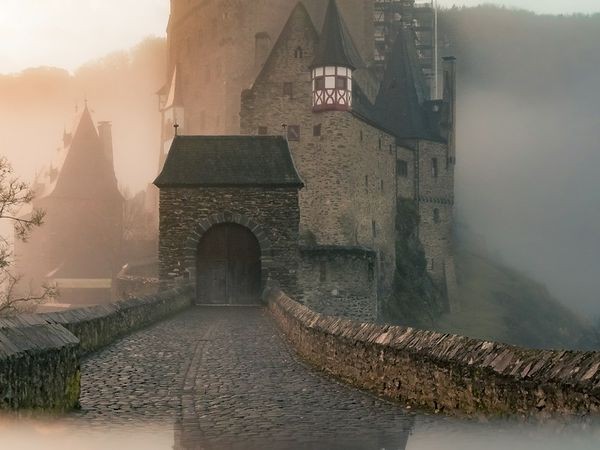
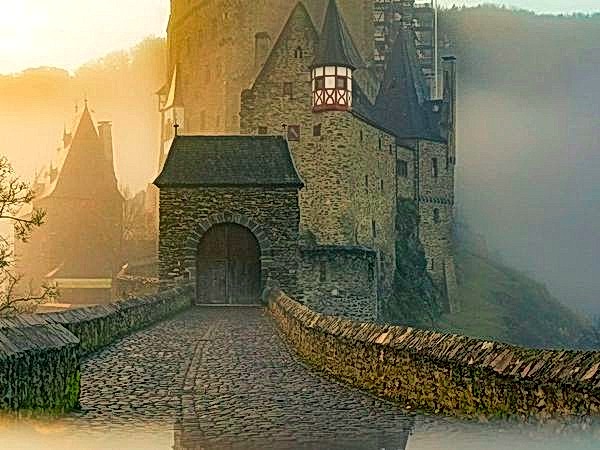
Figure 1: Real-time visual enhancement transforming a standard photo into an expressive look with rich textures and cinematic tones.
Apply Photo Filters FreeFunzionalità chiave: Photo to Art
A differenza dei tradizionali software o dei servizi cloud, ILoveImages Photo to Art funziona interamente nel tuo browser con WebAssembly e Canvas. Ecco le sue funzionalità principali:
- AI Neural Style Transfer: Real-time non-photorealistic rendering transforms photos into digital oil paintings, sketches, and anime.
- Real-Time Canvas Preview: Switch between artistic presets instantaneously with zero loading delays.
- High-Resolution Output: Exports full-resolution artwork suitable for canvas printing, framing, and gifts.
- 100% Private Processing: Family portraits and personal artwork remain strictly on your computer.
Guida passo dopo passo: Photo to Art
Segui questi semplici passaggi per completare l'operazione in pochi secondi direttamente nel browser, senza installare software e con privacy totale:
Transform Photos into Beautiful Art
20 artistic filters including oil painting, watercolor, and sketches.
Domande Frequenti
Is there a limit on how many styles I can try?
No. You can experiment with all 20 artistic styles as many times as you like for free.
Can I use these tools completely offline without an internet connection?
Yes! Once you visit ILoveImages or install it as a PWA, all core scripts and WebAssembly modules are cached locally in your browser's service worker, allowing you to edit photos anywhere, even in airplane mode.
Are my uploaded photos or edits stored on any server?
Never. ILoveImages is built with a zero-server-upload architecture. Every pixel calculation occurs strictly in your browser's local sandbox memory.