
सोशल मीडिया के लिए सही साइज में फोटो रिसाइज करें
Resize photos to exact pixel dimensions and aspect ratios for Instagram posts, stories, Twitter headers, LinkedIn banners, and YouTube thumbnails.
Uploading photos with the wrong aspect ratio forces social platforms like Instagram, LinkedIn, and Facebook to crop important parts of your picture or apply aggressive compression that ruins sharpness.
By resizing your images to each platform's native recommended dimensions before uploading, you bypass aggressive platform re-compression and keep your posts crisp.
By utilizing modern browser WebAssembly and HTML5 Canvas pipelines, ILoveImages processes every image locally inside your device memory. This eliminates upload bottlenecks, protects your confidential files from third-party server exposure, and provides lightning-fast execution even on high-resolution camera files.
Smart Dimension Resizing Comparison
Side-by-side visual comparison • Instant on-device result
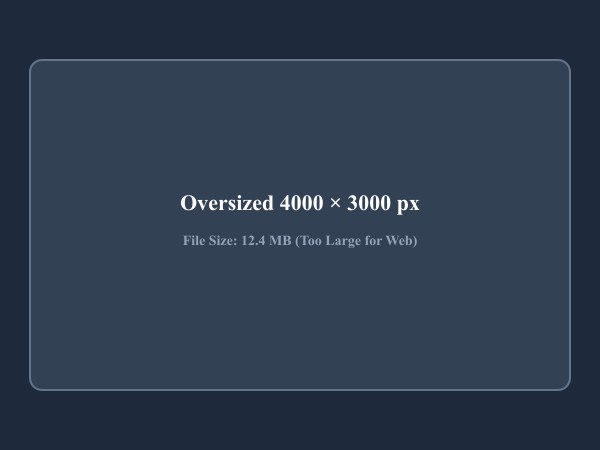
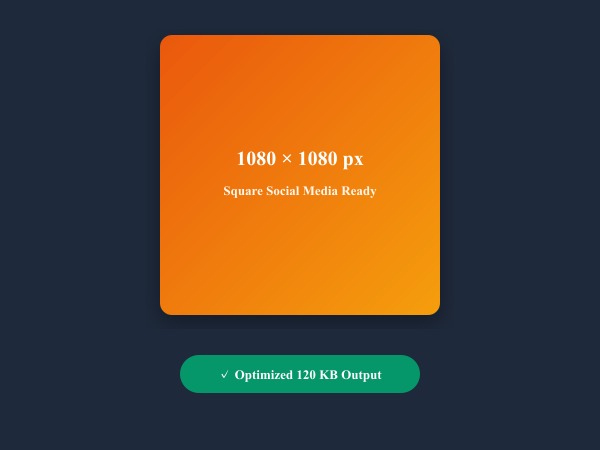
Figure 1: High-fidelity image dimension downscaling with bilinear interpolation tailored for social media aspect ratios.
Resize Images Freeप्रमुख क्षमताएं: Resize Image
पारंपरिक सॉफ्टवेयर या क्लाउड सेवाओं के विपरीत, ILoveImages Resize Image सीधे आपके ब्राउज़र में WebAssembly तकनीक से काम करता है। जानिए इस टूल की प्रमुख विशेषताएं:
- High-Fidelity Resampling: Uses Lanczos/bicubic interpolation algorithms to minimize blurriness and jagged edges.
- Social Media Dimension Presets: Quick-select presets for Instagram, YouTube thumbnails, Facebook, and Twitter.
- Aspect Ratio Locking: Automatically calculates proportional heights to prevent accidental image stretching.
- Bulk Batch Resizing: Resize dozens of photos to identical uniform dimensions in a single click.
चरण-दर-चरण गाइड: Resize Image
बिना किसी सॉफ्टवेयर इंस्टॉलेशन और 100% गोपनीयता के साथ, अपने ब्राउज़र में कुछ ही सेकंड में प्रक्रिया पूरी करने के आसान चरण:
Resize Photos for Social Media Free
Pre-set dimensions, aspect ratio lock, and bulk processing in seconds.
अक्सर पूछे जाने वाले प्रश्न (FAQ)
Why does Instagram make my photos look blurry?
If you upload a 4000px photo, Instagram's server compressor compresses it heavily. Resizing to 1080px before uploading produces far cleaner results.
Can I use these tools completely offline without an internet connection?
Yes! Once you visit ILoveImages or install it as a PWA, all core scripts and WebAssembly modules are cached locally in your browser's service worker, allowing you to edit photos anywhere, even in airplane mode.
Are my uploaded photos or edits stored on any server?
Never. ILoveImages is built with a zero-server-upload architecture. Every pixel calculation occurs strictly in your browser's local sandbox memory.